
The decibel meter for driving
How loud is your car at 70 mph?Measure cabin noise and run a road noise test in your car, on your motorcycle or in your RV – with GPS speed for every reading.
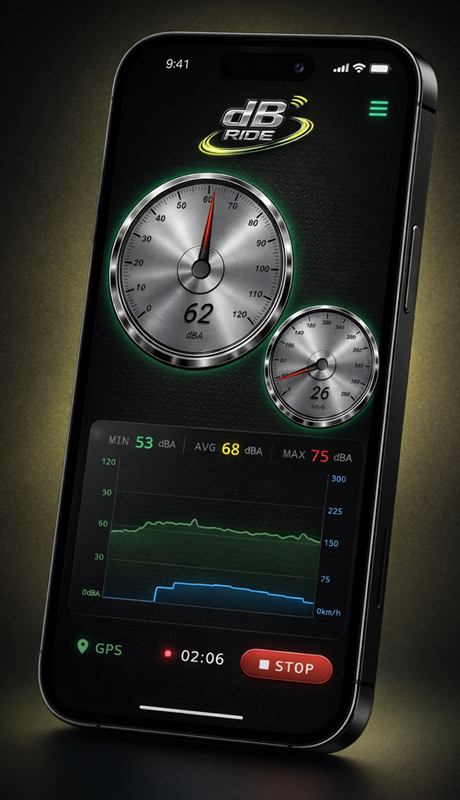
dB Ride measures the noise level in the cabin or under your helmet and records your speed at the same time. You don't just see how loud it is, but at what speed – perfect for before/after comparisons of tires, sound deadening and helmets.
- Free for Android & iOS
- No account needed
- Recordings stay on your device
Use cases
What drivers use dB Ride for
Road noise feels subjective – until you measure it. The typical questions dB Ride answers:
Compare tires
Summer vs. winter, old vs. new: how much quieter is the new set at 60 mph, really?
Sound deadening
Butyl mats, foam, seals: measure before and after on the same road – and see the difference in dB.
Motorcycle helmets
How loud is it under your helmet at highway speed? Matters for buying a helmet – and for wearing earplugs.
Electric cars
Without an engine, wind and tire noise stand out. Find out at which speed it gets louder – and why.
RVs & vans
Document road noise before and after your build, compare cab and living area at cruising speed.
Everyday noise
Home, workplace, concerts, appliances: dB Ride is also a full sound level meter with reference levels.
Features
Everything you need for meaningful road noise measurements
A decibel meter, a GPS speedometer and an analysis tool in one app.
Decibels and speed live
Noise level in dB(A) and GPS speed on two gauges, plus min, average, max and a live graph.
Noise by speed
Every drive is broken down into speed ranges: see how loud it was at which speed.
Map with level per point
Your route on a map. Tap the track to see level and speed at that exact spot.
Compare & Battle Mode
Recordings side by side with chart and difference in dB – up to 8 with Premium. In Battle Mode the quietest wins.
Share cards
Share the result as an image – for the forum, the group chat or the friend with the louder tires.
CSV & PDF export Premium
Raw data as CSV for Excel & co., a PDF report with chart and map.
A/C weighting & calibration
dB(A) for what you hear, dB(C) for low drone. Plus a calibration offset for your device.
Spoken readouts
The app reads out the values while you drive – eyes stay on the road.
Screenshots
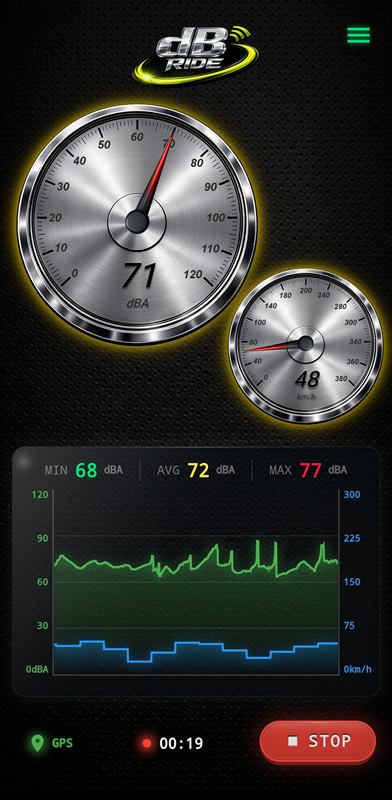
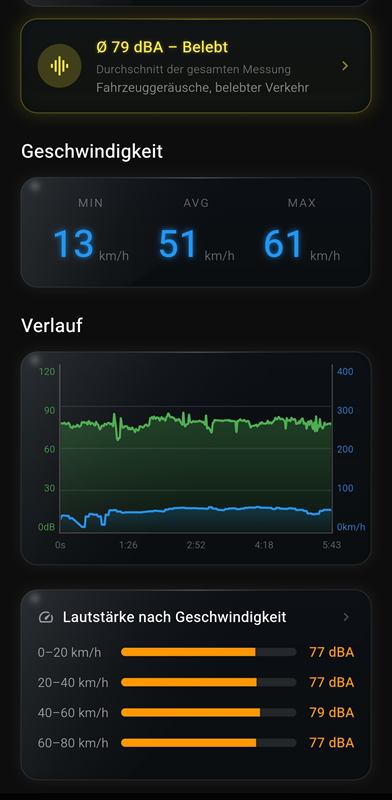
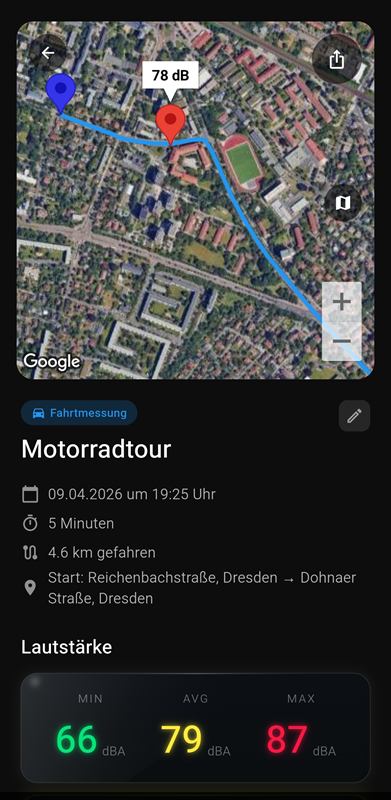
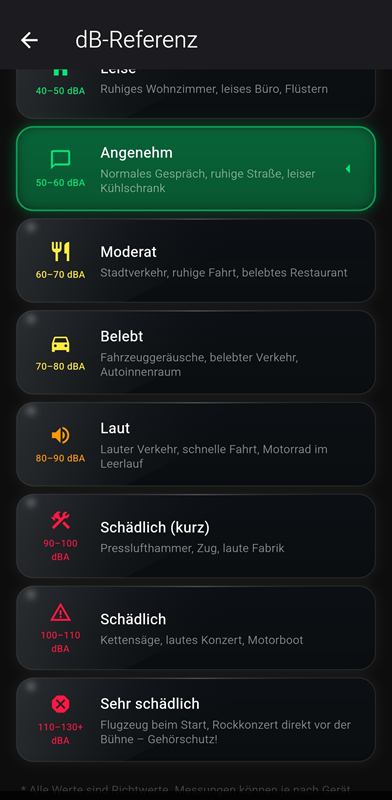
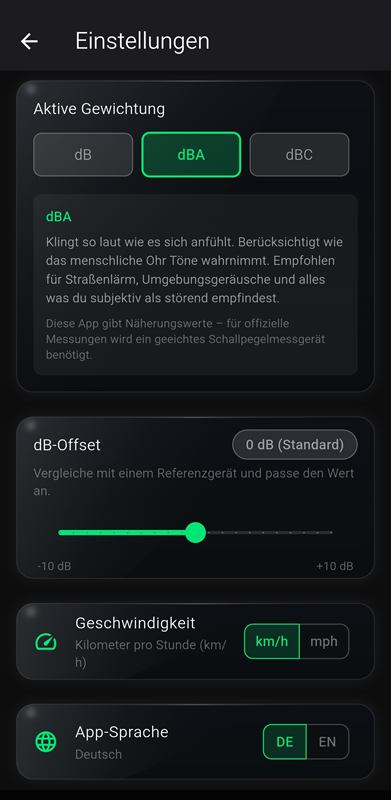
Screenshots of the Android app with German interface. The app is available in English and German.
How it works
Three steps to a measurement
Mount the phone
Use a mount or a fixed spot – the same position for every recording. Windows closed, ventilation off or on a fixed setting.
Start recording & drive
Tap REC and drive. dB Ride records level, speed and route. Only operate it when stopped – spoken readouts keep you informed.
Analyse & compare
Check noise by speed, compare recordings, share them as an image or export them as CSV/PDF.
Guides
Measure it right: road noise guides
How do you test tires, sound deadening or helmets so the result actually means something? Our guides with typical values and sources.
Tire noise test
Summer vs. winter, old vs. new: find out whether your new tires are really quieter.
Read more →Tire noise vs wheel bearing
Humming above 40 mph, louder in turns? How to tell tire noise from a bad wheel bearing.
Read more →Sound deadening before/after
Butyl mats, foam, seals: measure what your sound deadening actually achieved.
Read more →Car wind noise
Whistling above 60 mph? Common causes and how to tell wind noise from tire noise.
Read more →Cabin noise comparison
How quiet is your car at 70 mph? Typical ranges by vehicle class and published test values.
Read more →Motorcycle helmet noise
84–95 dB(A) at 100 km/h (62 mph): what it means for your hearing and how to compare setups.
Read more →Decibel chart
From 30 to 120 dB: everyday examples, cabin noise at highway speed and exposure limits.
Read more →Phone decibel meter accuracy
Automatic gain control, calibration, limits: what phone readings are good for – and what not.
Read more →Your recordings stay on your device.
No account, no cloud, no upload of your measurements. For the map and place names, coordinates are sent to map services, and the free version shows ads via Appodeal, which processes the advertising ID, approximate location and device information. Premium is ad-free. All details in the privacy policy.
FAQ
Frequently asked questions
Is dB Ride free?
Yes. dB Ride is free for Android and iOS and supported by ads. Measuring, GPS recording, the map, “noise by speed”, share cards of single recordings and comparing two recordings are free. Premium is a one-time purchase (no subscription): no ads, compare up to 8 recordings including saving and sharing, CSV and PDF export.
How accurate is a phone as a decibel meter?
A smartphone microphone is not calibrated. Absolute readings can differ by several dB between devices, and very high levels are not captured cleanly by every phone. For before/after comparisons with the same phone in the same position, the results are still very meaningful. With a reference meter you can set a calibration offset of up to ±15 dB in 0.5 dB steps in the settings. More in the guide Are phone decibel meter apps accurate?
Can I use dB Ride on a motorcycle?
Yes. Mount the phone securely, start recording before you ride off and only operate it when stopped. Spoken readouts tell you the values without looking at the screen. What to keep in mind when measuring helmet noise is covered in the motorcycle helmet noise guide.
What is the difference between dB(A) and dB(C)?
dB(A) weights sound roughly the way the human ear perceives it – low frequencies count less. It is the standard for road and environmental noise. dB(C) is almost flat and captures low-frequency hum and drone much more strongly, e.g. for sound deadening projects. More in the decibel chart.
Does the app need an internet connection?
Measuring and GPS recording run on your device. The map view, place names and the ads in the free version use an internet connection.
Are my recordings uploaded?
No. Your recordings are stored locally on your device – no account, no cloud. For the map and place names, coordinates are sent to map services, and the free version shows ads via Appodeal, which processes the advertising ID and device information. Premium is ad-free. Details in the privacy policy.
How loud is it for you? Measure it.
dB Ride is free for Android and iOS. Phone microphones are not calibrated instruments – but for comparisons with the same phone in the same position, the results are very meaningful.